Payment on the pier.
Right in the booking.
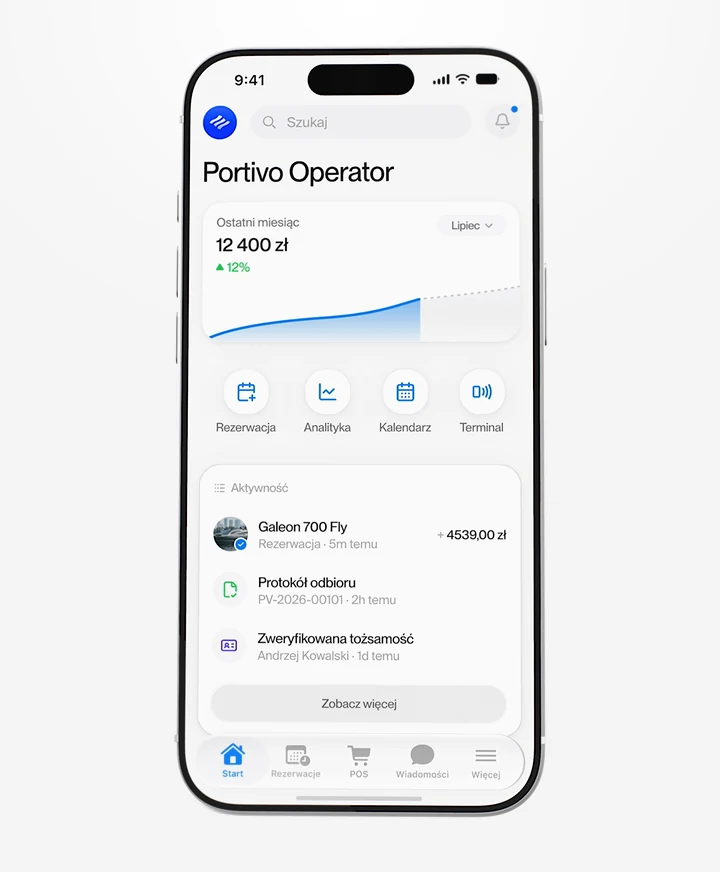
Coming to Portivo: charge the balance, fuel or a skipper at the marina by card on a terminal, with Tap to Pay on iPhone or a QR payment link. The payment lands in the booking straight away and the customer gets a confirmation by email.
- Terminal, Tap to Pay, a QR link and cash
- Payment straight into the booking
- Confirmation to the customer's email
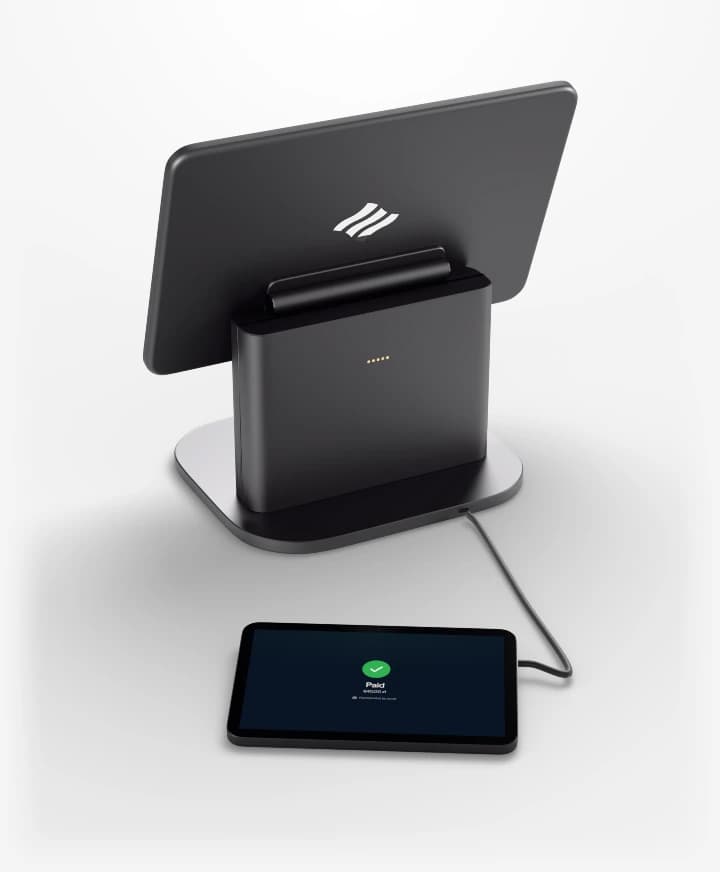
A till at the marina.
Wired to the booking.
 Portivo
- 4ways to take payment on the pier
- 0extra hardware with Tap to Pay on iPhone
- 24 ha QR link stays open if the customer pays later
No more bank terminal
and a notebook.
Today: A separate terminal from the bank
With Portivo: Terminal and Tap to Pay in Portivo
Today: An account number on a slip
With Portivo: A link with a QR code
Today: Payments typed in by hand
With Portivo: Payment lands in the booking
Today: A handwritten receipt
With Portivo: Confirmation by email
Works with the rest.
From pier to the books.

Questions about POS
Don't see your question? Write or call, we usually answer within one working day.
Ask a questionWhen will POS be available?
The module is in the works. Write to us if you want it from day one, and we'll show it to you on your own fleet.
Can I take the security deposit through POS?
No. The customer pays the deposit to you at pickup, separately from the charter price. POS is for paying for the booking and for services on the spot.
What if the customer pays in euro?
The terminal charges in the currency of your account's country. For a booking in another currency Portivo offers a QR link, so the customer pays in the booking's currency.
Do I need a terminal?
Not necessarily. Tap to Pay turns an iPhone into a card reader, and the QR link needs no hardware at all.
See POS on your own fleet.
A short call, a live demo and a rollout plan. We usually answer within one working day.